

 Apple Podcasts
 PocketCasts
 Overcast
 Spotify
 Podcast Addict
 Amazon Music
 iHeartRadio
 PlayerFM
 TuneIn
 Audible
 Castbox
 Podchaser
 Goodpods
 Pandora
 Audacy
 Deezer
 Spreaker
 Understanding Copilot For MSPs (EP 999)
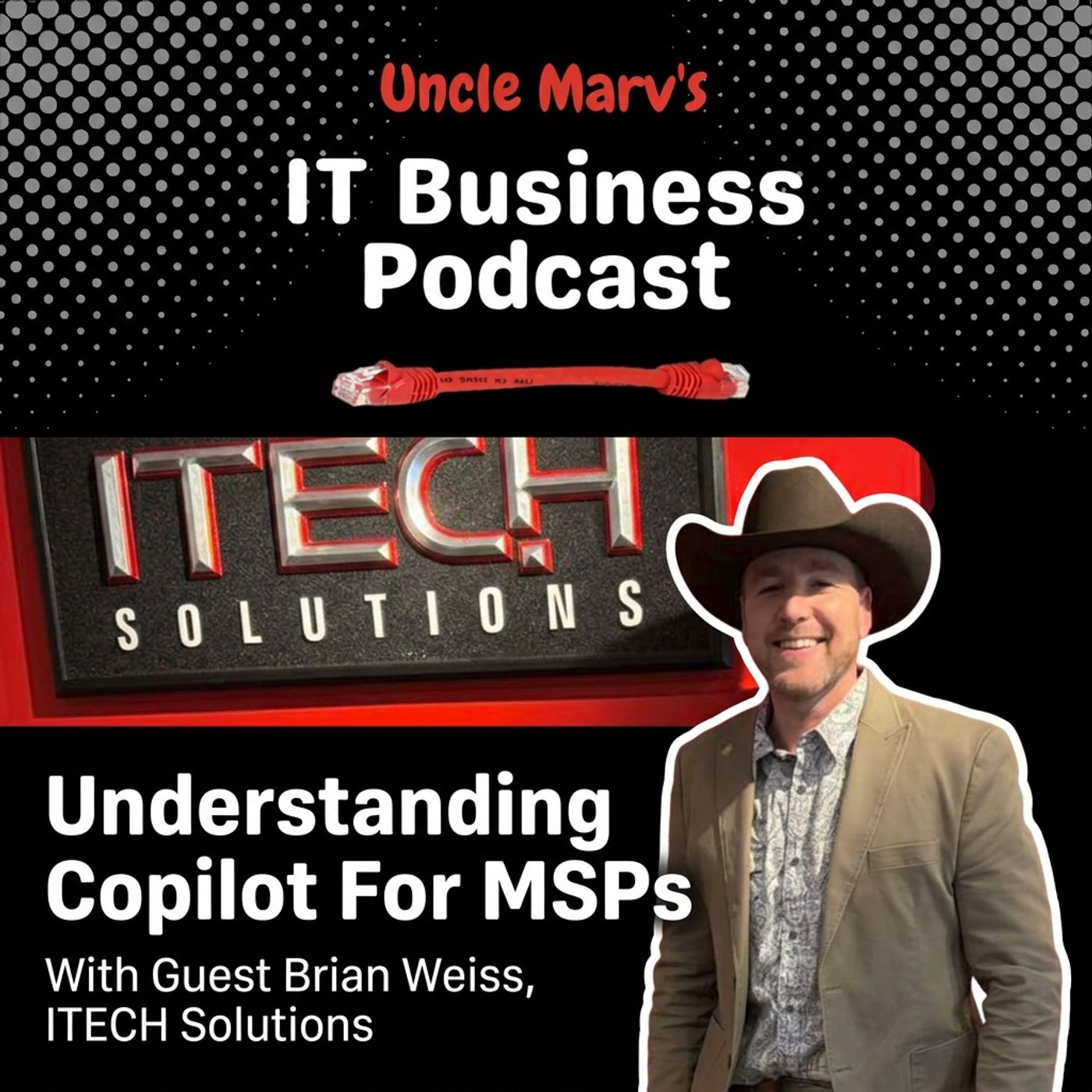
I’m joined by Brian Weiss from iTech to dig into the real reason Copilot is “failing” for so many MSPs and clients: adoption, not technology. We walk through AI readiness, data governance, Purview, and how MSPs can turn Copilot into a strategic business tool instead of another line item.
This conversation with Brian Weiss starts with Copilot, but it quickly becomes an honest look at how unprepared most of us are for AI inside client environments. I talk about being just like my customers—dabbling in random AI tools—while Brian lays out what it actually takes to make Copilot useful: modern workplace, SharePoint/OneDrive, sane file structures, and real governance instead of “S: drive chaos.” We also get into the reality that Copilot isn’t just “another ChatGPT,” it’s an ecosystem of role-based copilots that only work as well as the data and structure we give them.
We dig into Purview (including the fact that many of us already have basic capabilities in Business Premium and never turned them on), sensitivity labels, DLP, and why chain of custody should be every MSP’s go-to phrase with law firms and other regulated clients. Brian also shares how his team is going Microsoft‑first with Dynamics, Business Central, and custom agents so AI can sit on top of their PSA, finance, and security data instead of being yet another disconnected tool. It’s a real-world, practical roadmap for MSPs trying to move from “AI curiosity” to actual AI strategy.
Chapters:
- 01:39 AI: The New Frontier
- 03:39 Copilot Adoption Challenges
- 05:46 Data Governance and AI
- 08:08 Document Management Dilemmas
- 09:35 The Leadership Gap
- 12:17 Understanding AI Readiness
- 14:14 Training and Adoption Failures
- 18:30 Security and Leadership Expectations
- 23:04 Client AI Implementation Strategies
- 25:06 Exploring Copilot Variants
- 27:36 The Role of AI in Security
- 34:02 Managing Data Sensitivity
- 37:28 The Strategic Advisor's Role
- 44:49 Upcoming AI Panel Discussion
- 49:09 Closing Thoughts and Episode 1000 Preview
Guest: Brian Weiss, ITECH Solutions:
- Website: https://www.itech-solutions.com
- LinkedIn: https://www.linkedin.com/in/brianjweiss
Shout-outs:
- Carolyn Healey, (Copilot / AI strategist, independent): –https://www.linkedin.com/in/carolynhealey
- Bob Coppedge, Simplex-IT: https://www.linkedin.com/in/rlcoppedge/
- Pinar Ormeci: https://www.linkedin.com/in/pinarormeci/
Companies / Vendors / Products Mentioned:
- TekStack: https://www.tekstack.com/
- Pax8: https://www.pax8.com
- Lexful: https://www.lexful.com
- ChannelPro Network: https://www.channelpronetwork.com
- MSSP Alert: https://www.msspalert.com
- ChatGPT (OpenAI): https://chatgpt.com
- Claude (Anthropic Claude): https://claude.ai
=== SPONSORS:
- Livestream Partner, ThreatLocker: https://www.itbusinesspodcast.com/threatlocker
- Technology Partner, NetAlly: https://www.itbusinesspodcast.com/netally/
- Technology Partner: Bvoip: https://www.itbusinesspodcast.com/bvoip
- Travel Partner: TruGrid: https://www.itbusinesspodcast.com/trugrid
- Digital Partner, Designer Ready: http://itbusinesspodcast.com/designerready
=== SHOW MUSIC:
- Item Title: Upbeat & Fun Sports Rock Logo
- Item URL: https://elements.envato.com/upbeat-fun-sports-rock-logo-CSR3UET
- Author Username: AlexanderRufire
- Item License Code: 7X9F52DNML
=== Connect with Uncle Marv
🌐 Website: https://www.itbusinesspodcast.com/
🎙 Host: Marvin Bee
🛒 Uncle Marv’s Amazon Store (gear & tools I recommend): https://amzn.to/3EiyKoZ
☕ Support the show: https://ko-fi.com/itbusinesspodcast
If you found value in this episode, share it with another MSP, IT provider, or tech entrepreneur. Your support helps keep practical, no-nonsense IT business conversations coming every week.
[0:17] Hello friends, Uncle Marv here with another episode of the IT Business Podcast, the show for service providers, IT business owners, technicians, everyone that works with business.
[0:34] And this is the place where we try to help you run your business better, smarter, and faster. Well, this is episode 999. You heard that correctly, folks. 999, which means that we are literally one show away from crossing into the four-digit era of this podcast. Uh, when I started folks, I was not thinking about episode 1000, let alone 999, but here we are hundreds of guests, thousands of conversations and, uh, a community of friends that's grown into hopefully what I, uh, believe is going to be a real resource for solution providers around the world. So today, of course, is a little special. We're treating 999 as the end of a chapter, the last page before we turn into a brand new one with episode 1000.
[1:30] And I asked a buddy to come on and we're going to chat about some of those things
[1:35] that as we turn this corner, we are turning the corner with AI folks. It is here. It is upon us. We have to deal with it, lock and step with our customers. And I saw a couple of posts online that I thought, hey, let me reach out and see what we can chat about here So I am bringing back, folks, Brian Weiss from iTech out on the left coast Brian, how are you, sir? Doing very well, thanks for having me on Excited to be back Well, thanks for coming on and thanks for being available for show number 999.
[2:13] All right it means absolutely nothing to you there well we tried to come up with some sort of meaning right yeah we did this and but you know we're moving on to greater greener pastures especially with ai on the forefront here that is true so let's go ahead and dive into that because, uh the reason i reached out to you and a couple of things i pointed out is you had responded to a couple of posts on LinkedIn. And one of them was specifically about Copilot. And, you know, Microsoft's been pushing out Copilot on us for quite some time. Our customers have seen it popping up on their desktop, whether it's, you know, the Copilot in the taskbar for regular Windows. We've been trying to push Copilot as part of the M365 guardrail system, where, you know, if customers have documents up in their SharePoint or in Teams and stuff that they can leverage that. But there's a large majority of us that are not doing anything with Copilot. And in fact, I know a lot of people are looking at how to disable it altogether. So before we get into your response in the post, let me ask you this, because your post didn't kind of give me an idea, But how much are you adopting co-pilot with your clients?
[3:39] Um, we're focusing on adopting it internally first. Um, I feel like you need to drink your own champagne to really understand how you can unlock it with clients at the end of the day. Um, but that's not to say that we aren't getting in front of AI with our clients and making sure that before they jump in the water by themselves, they, they invite us along to help guide them down the proper path. But one of the challenges with AI when it comes to our clients, and I think a lot of us in general is that it hit the market as a consumer product and so and you know and we have this generation of people that grew up watching those apple commercials training us that there's an app for that and we can just go out and get it ourselves so i think the number one thing we're really trying to reel in with our clients is understanding who's currently using ai out there shadow ai if you will and how can we get in front of that to help them understand the security concerns of just signing up for a consumer-based service, especially if it's tied to the employee's personal email.
[4:47] And, you know, understanding that they're basically taking potentially sensitive company data and copy-pasting it or uploading it into a model that if consumer-driven, usually doesn't have any data governance around how that information they're sharing gets used to train the overall model itself. And so I think that's really one of the areas that Copilot really stands out that some people take for granted is it may not be the best trained model out there. I mean, ultimately, it originally was ChatGPT that Microsoft kind of made their own. Now they're opening it up to other models that you can integrate. But when I look at Microsoft's approach to co-pilot.
[5:36] It's really more around data governance and designing AI in the Microsoft ecosystem for businesses to use.
[5:46] And so back to your question about our clients, we do have a few clients that have come to us. In fact, I just got another quote request today of people saying, hey, I want to use Copilot. You know and typically that starts out with the office 365 or the Microsoft 365 version of co-pilot which is primarily for the office apps you know excel word outlook teams things like that and get the teams premium that comes with some co-pilot features as well um and it's.
[6:18] Kind of basic in nature just to assist them with those apps um i think that's a great first step for any organization i will say that the experience will be hindered if they're not truly migrated to the modern workplace so that's really where most of our focus is right now with our clients is ai readiness and getting them to the modern workplace where they're not storing files on a local server anymore, we're moving those to OneDrive and SharePoint. If they're already in OneDrive and SharePoint, or even after we move someone to OneDrive and SharePoint, we then want to look at setting up proper data governance and SharePoint labeling, where maybe, excuse me, maybe we're looking at flattening their folder structure and using SharePoint tags. Maybe we're looking at their folder structure in general and realizing that Most of the time, it doesn't really align well to departments and roles in the company where, you know, AI needs as much information as it can get about a file short of the old school indexing the contents to know what department does this belong to? What role in that department might use this document?
[7:37] What are some other tags that we can give the file that would normally be a folder name or be in the file name to give extra context? Because then as you're working with Copilot for Microsoft 365.
[7:51] Whether it be Word, Excel, whatever, and you're using it to help you manage and maintain your files, It knows more about the purpose and intent around those files as it helps you with your journey in creating new files even. Right.
[8:09] Did you ever work with any of those document management companies with copiers where you could just walk up to the copier and input a file and have a scanned a folder? And if you put in the right information on that cover sheet, it would know which folder to scan the document to. And if the document folder wasn't there, it would create it and it would be in the proper order and all of that stuff. Did you ever work with any of those? Yes. Um, and it was usually a nightmare. Yes. And so that's some of them even had like database applications that you'd have to install to, you know, well, yeah, you had PDFs. Yeah. Either, either a weak version of my sequel or, you know, some Fox base, you know, off brand or whatever. Um, yeah, those were a pain. And I did a few of those with the law firms. And this is where I see part of the trouble from, at least from my perspective, getting customers to put together a proper file structure, because most of us have just kind of let our customers, we give them a N drive or an S drive, and I still deal with local servers. So, you know, you know, just simmer down, don't get upset, but they're still on those, you know.
[9:35] You know terrestrial on-prem servers and we just gave them you know an s drive and n drive and they're just throwing files however they see fit and now having these conversations where they want to start adopting ai um I’m like well we've got to change how you've set up your files, we're having those conversations of moving them to SharePoint, that's a nightmare discussion and we want to redo the file structure that's a nightmare discussion Um, so I see us in, in those, those weird little spots that we've never been in before. It's almost as if, you know, we're having to learn this at the same time they're having to learn it and companies like Microsoft and all those anthropics, I don't think that they care. They're just putting it out there and just kind of saying, deal with it.
[10:29] Yeah, I mean, I will say Microsoft cares more than the other AI platforms out there in the sense they're giving you the tools to be successful, but they're expecting us to figure it out and ultimately assist the client at the end of the day. Because Microsoft is just focused on enterprise, right? So when you scale that down to a lot of clients' MSPs deal with, which tend to be mainly SMB, maybe mid-market, it's really up to us to help bridge that learning gap at the end of the day. They're not making easy training videos, you know, when you go to Microsoft and it's like, how do I use Copilot? You know, and even if they do, they're very broad and they're not industry specific.
[11:14] So I was talking with Bob Coppedge the other day on a call, and he brought up this analogy that I thought was great and even kind of reminds me of the item, what you just brought up in the sense of, we've never really done this before, and now we have to. He brought up this analogy of the IT that we've done is lowercase I, capital T, heavily focused on technology. To your point, we haven't been heavily involved in the information and how that's being managed with our clients. And now we're having to focus on, you know, uppercase I, uppercase T, the true IT, which includes information. So understanding how our client's information is stored, where it's stored, and even to your point, what workflows are they using to manage and update that?
[12:10] And those need to be improved and changed to really be ready for AI at the end of the day. We can't use the same workflows that we're using to store files on a file server, moving out to the modern workplace and expecting AI to be successful. Right.
[12:28] And so, I mean, and that brings up a whole bunch of different points. So let's turn our attention to the one post that I think we'll focus the most on. You had responded to a post that a Carolyn Healy had put out, and I almost reached out to Carolyn. I just don't know Carolyn, but I saw your post and it was just as insightful as Carolyn. So I thought, let me, let me reach out to you about this. And she put together a nice little chart that I think everybody should go and grab and print out in color and, you know, put it somewhere so that, you know, we can all see it every day and understand where we are. And, uh, the gist of her picture is for folks that if you, you know, are driving and can't get to the show notes to click on the link to grab it or whatever, um, she puts together a graph that says co-pilot adoption failure, and then a subtitle of why your AI investment is stalling. And she puts together this idea that if you're spending, uh, if you're paying for a thousand co-pilot licenses, you're paying $360,000 a year.
[13:48] But yet 64 of the employees never open it and we look at that as oh my god what's wrong with copilot well it's not copilot's fault it's not a tech failure it's an adoption failure and then she gives seven reasons that you know it's happening and you already mentioned one of those the number one where it says training never happened you know this is something where.
[14:15] Usually you know if an if a new server operating system came out in the past we would be able to download it play with it before we you know deployed it to a customer even you know regular windows operating system we would get the you know the beta and be able to download it play with it, with toe pilot and all the other ai stuff it was probably way more the opposite probably you know all of our customers had it before we did so we didn't get trained in it and we you know and we also talked about the fact that we still may not be trained in it and it's been out for what three years four years yeah i mean um well and then you've got all the consumer models on the market that you're battling against where people expect copilot to work in the same manner and in my mind copilot swims in a different lane right um so you know it's really designed to enhance your experience with the modern workplace at the end of the day at its base so you've got the Microsoft 365 copilot as i mentioned earlier kind of more focused on the office apps you have copilot studio that you can then create agents to assist you.
[15:34] Typically best to do in a role-based situation. So based on your role, you're training an agent to assist you. But that agent is only going to be able to assist you as well as it can have access to the data that you use on a day-to-day basis. So if your files still live on a file server that aren't in SharePoint, or if your files are in SharePoint with a poor directory structure, folder structure and you aren't using tags and you're using file names that don't make sense or even folder names that don't make sense, they're not aligned with departments and roles, you're really hindering co-pilot's ability to assist you at the end of the day. So there's a lot of this kind of AI readiness that needs to be considered where once that's in place, you're set up for success. Now that's just the technical side of it. There's the training to understand that hey now that we've got this new structure and these new workflows we're following where we're making sure we're managing our files in a in a according to modern workplace best practices now you know number two on our chart is prompting right oh yeah learning how to talk to co-pilot and ask it the right things or tell it to do the right things with the you know do things with the right prompt, I should say, so that you get the output you're expecting.
[17:03] You know, and Copilot could be set up for success, have access to all the information you need, and you could fail just by not understanding how to prompt it properly.
[17:14] I'm glad she put that second because I think that's where a lot of people are kind of stuck. We're inputting stuff, trying to figure out how to make it work, And we realized that if we ask the question in, you know, 10 different ways.
[17:32] We could get 20 different answers because you can literally take the same question, plug it in a second time and get a completely different answer. Yeah, I look at AI as like, I don't know, maybe I'm dating myself, but Rain Man, right? Very smart. 7 p.m. Wapner. Yep, very smart, very critical, quick to give you an answer. But if you don't give it the proper prompt, it could give you the wrong answer, right? Right it needs it needs all of it needs to understand your intent well otherwise it's going to come up with its own intent which may not be what you're looking for yep um so yeah I’m glad she put that up there because that that is going to be huge learning how to prompt, um is going to be a skill is uh and all that and then of course if we look at what let's say we look at three and four together on her list. Security questions went unanswered.
[18:31] Leadership set no expectations. Those are kind of, at least in my mind, very on the same par to a degree.
[18:46] Because depending on how you define leadership, if you're looking at it, the leadership of a business most businesses didn't look at this until employees started to demand that we that we do it, so then they're like why are we what are we spending money for why are we doing this oh well you can do this if we had access and so regular business leadership was behind the curb we as it.
[19:15] For the most part didn't give leadership at the very beginning because it was deployed you know without our knowledge without our uh being prepped for it so we were behind the ball for a long time we're now trying to get ahead of that and trying to help customers frame what ai should be doing put the guard rails on it for the security side um so it's very interesting that she put those in that manner. Yeah. I mean, when I think of the leadership aspect, jumping to number four real quick, it's kind of back to my comment of, you know, we're, we're really looking to integrate. We're focusing more on ourselves right now because we ultimately are helping lead our clients to success. And if we aren't using it ourselves, how can we set an example and even understand what expectations to set. And then secondarily to that, when I think about how we're rolling it out to clients, Ideally, it should start with the executive team or management or leadership first. Get them to buy in on understanding the value and be actually using it. They should be setting an example of how it's important, why it's important. And to her point, be able to define two to three use cases easily.
[20:35] And they're going to be an extension of us as IT because they're also managing the employees from a day-to-day perspective. Like, IT is not HR. We don't set expectations around job or role performance. We just set them up for success with technology and provide training where needed on how to use that technology. At the end of the day, management and leadership are the ones who are expecting a certain level of performance from these employees, and they need to understand how AI plays a role in that. And as their employees are getting stuck using AI or feeling like it's not beneficial, they need to be able to explain the why behind that without having to get technical, obviously, because we're the ones that are handling the technical side of things. Hand in hand with that, and I think why you paired security with it, is also understanding the risk that AI introduces. So if leadership doesn't understand the risk and make sure that they're holding their team accountable to understanding the risk as well, they're going to have employees that could potentially cause data loss or sensitive data to get outside of the company using AI tools.
[21:59] Which is a concern, shadow AI and the implications of that. So basically, we've shared with our clients an artificial intelligence acceptable use policy. And it's like, here's the one we've created internally. Here's the one we feel like you should use as well. And it comes down to, right now, we only recommend Copilot. If you want to use something else, by default, that should not be allowed. That's not to say that we can't have a discussion of what that looks like, especially if an organization doesn't live in Microsoft, you know, 100%. They might have some third-party line of business applications that are outside of the Microsoft Dataverse. And in that case, it may make sense to look at using another model or another AI service, but that should be vetted. It shouldn't just be like the Apple commercials of there's an app for that, and we're going to let our employees use whatever apps and sign up for whatever they need to get their job done.
[23:02] It's going to be, here's what we've approved internally. Try using this first. If this doesn't work, let's have a discussion on what that looks like to use something else.
[23:13] Yeah I'm still in the middle of a conversation with a client that, Uh, the principal attorney basically said, we need to use AI. We're going to be left behind. And he just assumed it would be something that I could just install and they would be good to go. And I said, no, that's not the way it works. And we had to sit down. I said, first of all, let's see what you have. What's your current workflow and what can AI do? And turns out that AI is not going to be able to help them right now. Because they've got so many other things to put in place and we've we're able to find one product inside of their space that will give them some of what they want and so we actually put a put a hold on co-pilot and anything else and they can only use the ai that comes from their specific vendor in that space which is perfect for them because it has the guardrails it knows what they're asking for and all of that.
[24:17] Brian, I want to skip the rest of these because I want to, I just thought in my head, I want to take a different direction. So just so everybody knows that the seven things in the chart that Carolyn had, I'm going to put a link to her post there. You'll see the graphic number five. Nobody sees what's coming next number six the talent gap is the real bottleneck and number seven the agentic gap is about to get expensive um those all are nice discussions but we could spend hours on each of them but what i want to do Brian is go back and I’m going to personally admit that i am not using copilot anywhere
[24:58] near the capacity that i should and you mentioned the versions of Copilot coming with 365. There's also Copilot just built into Windows itself. And then you also mentioned Copilot Studio. Well, now there's a whole bunch of other Copilots. There's the developer Copilot.
[25:19] There's a security Copilot. And to be honest, that's the only one I've looked at. And the reason I did that is because for customers that we have business premium licenses, in 365, there's a, you know, threat analysis, SOC analysis, Lite, L-I-T-E version that, you know, can help look at how everything is integrated between Defender, Intune, and Intra.
[25:51] That's where I started. Probably the wrong place to start when it comes to looking at Copilot. And that's because I'm actually using one of those other things to help me in my business. That gives me business ideas, help me put together my SOPs. And then I use actually another product to help me with the podcast. So I'm just like my customers. I'm doing it the wrong way. So you at least from the perspective of co-pilot appear to be doing it the right way so how much are you willing to share with what you're doing how you're using it yeah i will and i was going to go dig up this image but i didn't want to get lost um and off track here but there there's an image i found that showed all the co-pilots there's a ton of them out there yeah and i think it's important to understand that Microsoft is using the co-pilot naming really as a name to help you understand that they're introducing AI throughout their ecosystem. So to your point, the security you co-pilot, and they're typically, in my mind, designed around certain roles in an organization. If they are coming out with a specific branded co-pilot.
[27:19] It helps a certain role in the organization. Now, the Microsoft 365 co-pilot, I look at that as co-pilot for the office suite at the end of the day. And I think a lot of people confuse that and don't understand it is why I say co-pilot swims in a different lane.
[27:36] It's not like I'm going to get Claude. You go get Claude, there's one type of Claude.
[27:41] Right and it can do a lot that one type of Claude when you go to copilot there's not just one flavor of copilot and you're going to get a different experience based on the flavor that you're using and possibly using the wrong flavor at the end of the day if you don't understand why it was originally created so security for copilot's great you know you could think of hey, I'm a security operations center, a SOC, and I need to understand all the security alerts that are happening in an organization.
[28:14] And I need an assistant to help me correlate all that information so that I can save time having to jump between a bunch of different windows and read logs and understand what might be going on based on a sequence of events. So that's really what that's designed for. And I think I love the fact they brought it into business premium, because a lot of MSPs can't afford a SOC in-house. A lot of us are outsourcing a SOC with some third-party security tool, right? And if we want to take a defender first posture, which is what we've chosen to do, you know, we're not buying a third-party security platform when it literally comes baked into Microsoft. We're a Microsoft first organization. You know, how can Microsoft make that easier for us to manage where these third-party tools, how they make it easy is they say, you know, we're going to sell you a SOC service alongside it.
[29:12] Well, Microsoft's answer, since they don't offer SOC services per se, like direct SOC service tied to Defender, is we're going to give you security co-pilot and enable you to do a lot of this on your own without needing the expertise that a typical SOC might need. So they're simplifying management of security from a day-to-day alert fatigue perspective.
[29:40] Yeah, I like it, too, because I'm not going to say that I'm Microsoft first, but I am getting Microsoft heavy, if that made sense. And if you, you know, get up to the premium level, you know, or if you have to go E5 or higher or whatever, I mean, a lot of this stuff is, like you said, built in. So it's pretty nice. Yeah I’ll say like while we're on the licensing topic we use business premium as a minimum for anyone that has a workstation running windows at the end of the day if they're on a mobile device only you know you can get you do the f3 license that's what they designed for mobile devices so it doesn't cost as much you don't really need the desktop apps on a on a mobile device right maybe you need a smaller mailbox um and then the other thing we've recently added this year as we're understanding how to properly prepare our clients for co-pilot use in their modern workplace is purview suite.
[30:41] So what I love about Microsoft is they are people, even though they are enterprise-focused, they are learning to understand the needs of a small business better. And especially from an AI readiness perspective, the idea that business premium doesn't come with some of the data governance tools that you ideally want to have in place to properly secure AI at the end of the day. So Purview Suite typically only offered, you know, as an E3 add-on or comes with E5 is now an add-on for business premium.
[31:18] Now, are you doing Purview for specific things like, you know, data classification? Because I, to be honest, I don't.
[31:29] I don't know if i have any clients where purview makes sense so how are you how are you doing that, so the yeah it's a great question i mean out of the box without purview suite if you wanted to talk about how data gets classified is it's basically based on a folder structure in SharePoint sites right so you might have a SharePoint site called finance with different folders and you're handling security at the site or the folder level stating who can access the files, right? But there's information inside of those files and some files more sensitive than others. So when you think about credit cards, social security numbers, you know, things that are sensitive data that if they got outside of the organization and shared with the wrong people could hurt the business, right? There's operational risk there and reputational risk. So the idea with Purview Suite is giving you the power to, without needing a human to define it and create a folder that says everything in this folder is sensitive and shouldn't be shared out.
[32:45] It can look at the files independently and understand how sensitive they are and essentially auto-label them. So it introduces this, you brought it up, sensitivity labels, this idea of a labeling of, okay, no matter where this file is stored in an organization, we're going to understand, is this public? Is this marketing material that anyone in the world can see and can be shared out to anyone? One, is this internal, sensitive, only employees of the organization are allowed to see this file? You can get fancy with, hey, we're allowed to share this file, but no one can download a copy. They can view only.
[33:30] And as you're sharing out files, you can determine certain limitations around how long is the file link active, or how many times can it be accessed. We're going to share this link out. The minute it's clicked once, the link dies. So the idea of when you're in the modern workplace, Hopefully, you're getting away from attaching files to an email and sending it to someone because you lose all data governance at that point. It's like you've just given that file away and who knows what might happen with
[34:00] it. You're using file share links. And the minute you create a file share link, these data sensitivity labels can govern the security around that file share link. Maybe they're accidentally sharing out a sensitive document that's not allowed to be shared out. The minute they try to put the person's email address in, it's going to say, sorry, we're not going to let you share this with this person. Not allowed based on your data sensitivity label that's currently assigned to this file, right? Or maybe there's expiration built into how long that link is available, right? So you think about, it really helps secure what happens with the data during the during the lifecycle of that file based on how sensitive it is all right so I’ve got customers where we.
[34:51] In the last year, we've actually locked down, I shouldn't say locked down, but they now can no longer use, you know, Dropbox or we transfer to share files because, listen, I deal with a lot of lawyers. They are stuck in the, in the nineties and you said attaching files to email, that's what they do. We are trying to do that. So we are pushing them to only use OneDrive to share files because at least we can start to monitor that and keep track of that. But now we can add on purview and literally put the clamps on what they can and cannot share.
[35:30] Yeah, and think of it, I mean, when I think of the legal industry, I mean, you're 100% right. It's hard to get people to understand the importance, but if you speak their language, sometimes it helps. So the big term in the legal industry is chain of custody. Right. You've got these documents that you're working with on these different cases. They usually have a case management software. How are you putting the guardrails on chain of custody for these files to make sure that only the people you intend to share these or that should see these documents, see them? And how are you maintaining an audit trail of who saw the file, you know, when and where? And so that's really where these share links and sensitivity labels and purview and just modern workplace in general is key because you're not giving them a copy of the file they could forward to someone else. And then you never knew that other person even saw it in the first place.
[36:34] Okay, I'm sorry, I'm typing in chat to see what the cost is for purview. I thought you were making a note of chain of custody. But yeah, we've used that with our legal clients. And I think from a strategy standpoint, like who's selling AI in the MSP organization? I don't know that you need to bring in someone that's an AI expert. It's really who's doing the strategic advising with your clients now? and, And really, it's about, back to the earlier thing that I brought up of lowercase I, capital T, been focused on that capital T. Let's start focusing on making that lowercase I a capital I. And that strategic person should be asking a lot of questions to understand the business better.
[37:25] How are they storing their information? Where are they storing it? What are their workflows they currently have when they're working with that information and sharing it out? And then what industry are they in? How can that strategic advisor use terminology the client's familiar with to help connect the dots better and get away from the technical and more about the client themselves?
[37:51] All right, I'm just going to put out this little PSA and somebody out there is probably going to want to slap me on the hand. But because i thought purview was just always an additional cost which if you want to do it as a um e5 compliance add-on it is but if you are in 365 business premium uh or e3 or even e5 for office whatever you get a basic purview for free yes thank you for calling that out i mean we go I tend to go over and above and I'm like, I want all the purview features, but you do get basic purview capabilities where you can use the portal, the purview portal to manage data, even if you don't have the add-on. I mean, that makes perfect sense because now I, I didn't think that I could go in and use DLP at all, but with the free version, if you've got, you know, premium, I can do it with email, SharePoint and OneDrive. life. That's, that's probably going to, you know, take care of 80% of my legal issues with my law firms.
[39:00] All right. We have to have another show on that. Thank goodness. Yeah. Sorry if I misled you there thinking that purview is a pay to play. No, you didn't do this. You didn't mislead me. That's just what I've, I've just out of the industry for the last year or two or whatever. That's just what I've heard. Oh, you got to, you know, add on purview and it's 10 to $12 a person. Nobody bothered to say, Oh, by the way, you get a little bit of purview if you have, you know, business premium. And I've, I mean, I fought to get clients up to premium, but now I mean, Cheese and crackers.
[39:37] Shame on me. So, you know, when I think of our co-pilot journey internally, we're starting with leadership. I haven't licensed my whole team yet.
[39:50] They're just using the free version of co-pilot for now. I have had some employees specifically say, hey, you know, I can't do this with the free version. And then I've gone and licensed them. But it's kind of like, until we move to dynamic. So we're being a Microsoft first shop. I realize I can only do as much with Copilot as the data it has access to. And we do have line of business applications that we use outside of the Microsoft Dataverse. One of them is our PSA, which is the common tool used by IT providers.
[40:25] Managed tickets, billing, opportunities, things like that, asset management. The other one is, you know, finance software, which I'll say the name of this one because everyone knows it, QuickBooks, right? And so we're moving our PSA into Dynamics 365. We've been working going on two years with a company called TekStack that's been our development arm of this and using the customer service module because that was the one that fit the best when I think of, you know, the core functions of a PSA. And we've been adding in all the missing features that a PSA comes with into this module so that it's essentially now a PSA module in Dynamics that we're going to use internally, go to market with MSPs that are interested in moving to Dynamics for their PSA, as well as some of our co-managed clients or even enterprise clients.
[41:24] That we work with where their internal it teams might be struggling with the tool they have now, to really bring in all that rich data that we that we store in a PSA that ai the copilot can't see into dynamics so that copilot can now see it and then you're talking about having a custom agent for every role in your company into dynamics that's assisting you know copilot agent in in your role with all that rich data it has access to. And then we're moving from QuickBooks to Business Central so that all our accounting and financial data is in Dynamics. And then again, we can use AI to help assist us managing all that data as well. All right. Let me ask you this, and we're way off course. I had to throw that in there because it is part of our co-pilot and AI journey. Well, and that, I mean, that made sense and it helps to understand the journey. But my goodness I’m thinking dynamics ERP you know business premium or whatever license you're doing with co-pilot that's going to get expensive isn't it it's going to be just as expensive as all the other stuff well um.
[42:42] I mean, what are we paying for QuickBooks, right? What are we paying for our PSA? I don't know. I'm paying two grand a year for two people. That's ridiculous. Yeah. The licensing itself is a wash at the end of the day when I compare what I'm paying. I will say when you move to an ERP, it is an ERP. It's not a SaaS product that you buy and license where there's a development team that's handling the back end for you. So, if you don't have developer skills in-house to manage the dynamics environment for you, because you do have a dev test and prod environment, three different environments, which I actually love because you're not making changes in prod like you do a SaaS application.
[43:31] There needs to be someone that manages that for you, that lifecycle. And that's really why I partnered with TekStack on this. And then on the Business Central side, I've got Pax8 that I'm working with. Okay. So there will be a cost for that development support, which both of these companies, TekStack and Pax8, have done a great job of just making that a fixed monthly cost for you. So you don't have these peaks and valleys in development costs. So it's kind of a development as a service that comes along with your licensing. Now, for MSPs like us specifically, at the end of the day, I'm getting the licensing dirt cheap, to tell you the truth, right? Well, you're part of the partner program, right? Yeah. The average organization, the licensing is still a wash. For us, I'm actually saving money on the licensing, which then makes room for those development as a service costs, where at the end of the day, it's essentially a wash, even adding that on. Because with the partner packs that you can buy from Microsoft, it's coming with all my licensing I need. Yeah. Not just for Dynamics, but it also has Dynamics. Okay.
[44:41] All right. So let's now circle back to the reason we started this, AI and Copilot. So I think we've kind of covered enough of Copilot, but I want to give you an opportunity. The other thing I saw on your LinkedIn was that you're going to be on a panel coming up real soon, talking about AI for MSPs, everything you need to know in 2026. Why don't you tease the listeners with that?
[45:13] Yeah, so I had the opportunity. Channel Pro reached out to me in collaboration with MSSP Alert, and we're doing a discussion around using AI in your organization. And it's pretty cool because it's a diverse panel. There's going to be one person on the panel. Pinar, I believe is her name. Sorry, I should have these names in front of me right now from Lexful. Lexful. I know Pinar. Yeah, Lexful is a Chris Day recreation of if I could build IT glue over today, what would I do different with the fact AI is at my fingertips, right? So I really love what that company is doing. So she'll be coming kind of from viewing things through that lens and how AI can help with a critical tool that we use in our industry of documentation and just being able to have everything at our fingertips that we're responsible for managing. And then there'll be another representative that comes more from the enterprise space has worked with AT&T and she deals more on the information side kind of security.
[46:36] All of the information we collect around.
[46:42] Securing and the security of an environment and kind of looking at it from a, I would almost say, I don't know if she'd call herself this, but almost like a CISO purview.
[46:53] And less of in the trenches like a SOC would be, is what I was getting at there. But understanding how organizations can secure themselves from a more strategic versus tactical standpoint. I'm coming in as the only MSP in this discussion. I wouldn't call ourselves an MSSP, and I know the title is AI for MSSPs, but we are speaking to both MSPs and MSSPs. In my mind, what makes you an MSSP is you have an internal SOC, like a full 24-7 SOC that can also do MSP things. I do know MSSPs that all they are is a SOC. So, you know, the terminology MSP versus MSSP, the lines can be blurred there. At the end of the day, I'm going to be, I will be touching on kind of SOC operations with AI a bit because we are integrating that into our dynamics platform. We don't do level one, level two SOC stuff here at our MSP. We outsource that to another, an outsourced SOC. But they are essentially just handling the blocking and tackling for us. You know, stop the bleeding, if you will, for a given event.
[48:13] They're always escalating back to us for the remediation so we do have to we do have to manage a security event life cycle in our system even if we're not the frontline sock addressing it and so what does that look like and then there's kind of the operational side which a lot of people call a knock or a help desk of you know what are the things we deal with on a day-to-day basis, operationally that maybe aren't security focused but that we're having to help our clients with and manage and what does that look like to bring AI into that, into those workflows as well, Alright, so hopefully you guys aren't too far behind on the episodes and you'll hear this in time. The webcast is coming up Monday, April 27th at 1pm Eastern. So I'll have the link for that so you can go and check it out and hear what everybody is saying about AI for 2026. Nice.
[49:09] Well, Brian, thank you very much for being a part of the show. And I know it wasn't last minute, but it wasn't our usual slate of time to prep for this. But you did pretty good.
[49:23] Appreciate it. Yeah. I'm always happy to hop on this podcast. So good luck with your episode number 1,000. Thank you very much. And as just a reminder, folks, yep, that is coming up Sunday, April 26th, 4 p.m. Eastern. And it should be a very interesting show. I'm bringing back the original co-host of when I took over on episode 81, Matt Rainey, Martin Obando. And it should be pretty interesting. And I have two surprises. I should probably have said that as well to get you guys to come tune in. So two surprises coming in on that show. But that's it, folks. that is going to do it for today thank you to Brian Weiss for hopping on and being a part of this show and as always if you ever got value from these shows uh be sure to share it follow, and would love for you to come and visit us live for episode 1000 and as always thank you for listening for supporting the show being a part of this community and uh we will see you all soon And until next time, holla.


