

 Apple Podcasts
 PocketCasts
 Overcast
 Spotify
 Podcast Addict
 Amazon Music
 iHeartRadio
 PlayerFM
 TuneIn
 Audible
 Castbox
 Podchaser
 Goodpods
 Pandora
 Audacy
 Deezer
 Spreaker
 NetAlly LinkRunner 1500: First Look & Live Test (980)
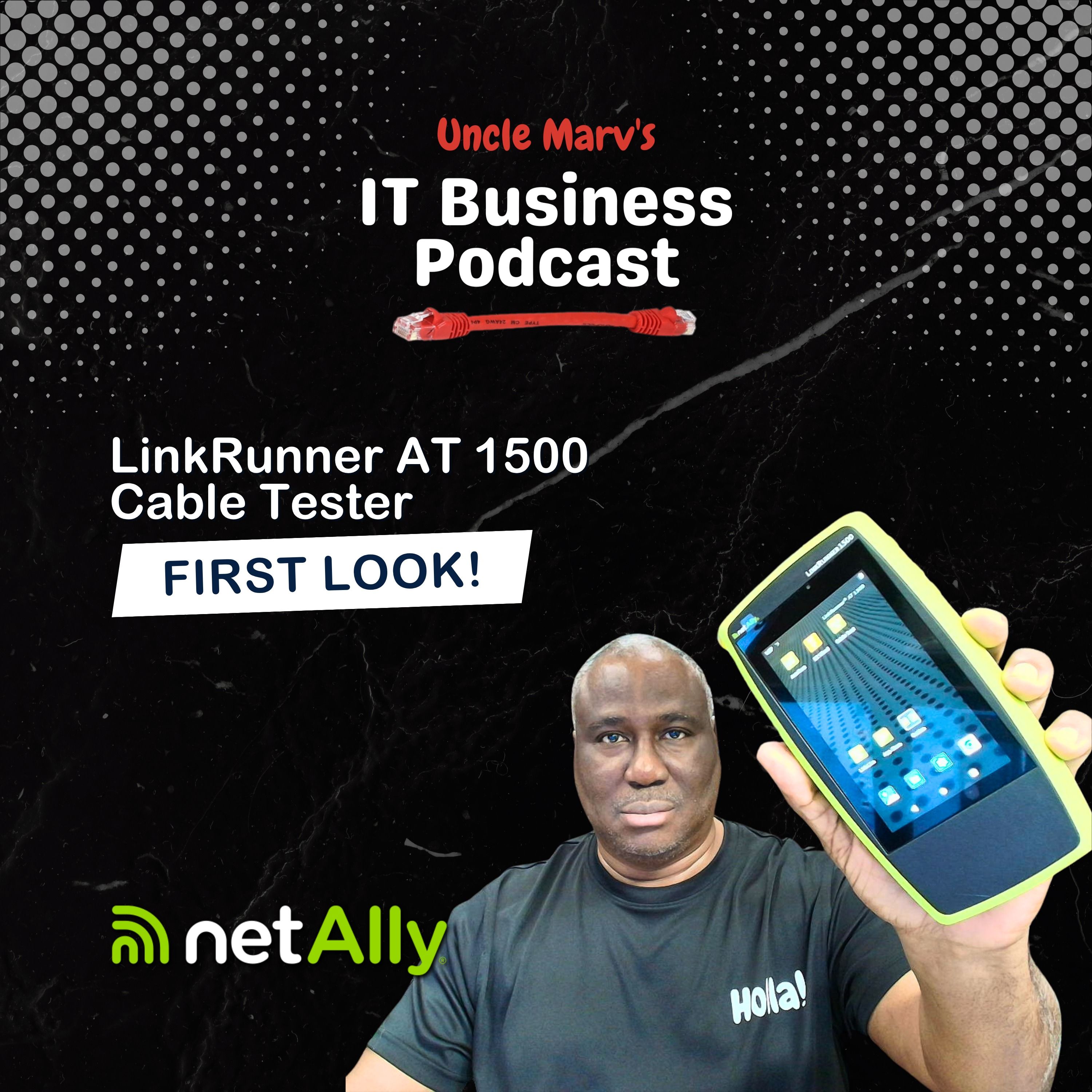
I unbox and live‑test NetAlly’s new LinkRunner AT1500 to see if it really deserves a spot in your MSP go‑bag. We run through real copper cable tests, PoE checks, switch discovery, and Link‑Live integration so you can decide if this “frontline” tester is worth the price tag.
Mentioned on the Show
- Watch the video: https://youtu.be/s-hhBzRHSkc?si=Ij4_KKG2Lof4AE0D
- Order from Amazon: https://amzn.to/3PCiUzp
- LinkRunner 1500/3000: https://linkly.link/2eOfT
Why listen
In this episode, I crack open NetAlly’s brand‑new LinkRunner AT1500 and walk through a live, real‑world test of this entry‑level copper network link and cable tester. We look at one‑tap cable tests, PoE validation up to 90W, switch and VLAN discovery, and how it ties into Link‑Live to document your work for clients and MSP teams. If you’re an IT pro or MSP owner building out your troubleshooting go‑bag, this gives you a practical look at what the AT1500 can (and can’t) do.
- See the LinkRunner AT1500 run a one‑tap cable test on a live network, including length and pair mapping
- Learn how it validates PoE power, multi‑gig link speed up to 10G, VLANs, DHCP, DNS, and gateway connectivity in seconds
- Hear how Link‑Live reporting can help your MSP standardize documentation and share test results with clients and techs
- Get my candid take on where the AT1500 fits versus NetAlly’s EtherScope, CyberScope, and LinkRunner 3000/4000
- Understand the tradeoffs: copper‑only, no built‑in Wi‑Fi or fiber, but a lower price point for frontline technicians
=== SPONSORS:
- Livestream Partner, ThreatLocker: https://www.itbusinesspodcast.com/threatlocker
- Technology Partner, NetAlly: https://www.itbusinesspodcast.com/netally/
- Technology Partner: Bvoip: https://www.itbusinesspodcast.com/bvoip
- Travel Partner: TruGrid: https://www.itbusinesspodcast.com/trugrid
- Digital Partner, Designer Ready: http://itbusinesspodcast.com/designerready
=== SHOW MUSIC:
- Item Title: Upbeat & Fun Sports Rock Logo
- Item URL: https://elements.envato.com/upbeat-fun-sports-rock-logo-CSR3UET
- Author Username: AlexanderRufire
- Item License Code: 7X9F52DNML
=== Connect with Uncle Marv
🌐 Website: https://www.itbusinesspodcast.com/
🎙 Host: Marvin Bee
🛒 Uncle Marv’s Amazon Store (gear & tools I recommend): https://amzn.to/3EiyKoZ
☕ Support the show: https://ko-fi.com/itbusinesspodcast
If you found value in this episode, share it with another MSP, IT provider, or tech entrepreneur. Your support helps keep practical, no-nonsense IT business conversations coming every week.
Hello friends, Uncle Marv here with another episode of the IT Business Podcast, the show for IT professionals and managed service providers, where we help you run your business better, smarter and faster. Well, today we have a very special episode. On March 23rd, NetAlly introduced the latest in their handheld testers, the AT1500.
And that is a tester that is kind of in between the Lynx Sprinter, if you're familiar with that product in the NetAlly family, and the LinkRunner 3000 or 4000 series. And of course, the high end EtherScope, CyberScope. This is a tool that is being introduced at the retail price of $14.95. It is supposed to be that entry level tool that will do your, you know, your one tap essential testing.
It'll test your multi-gig link, PoE validation up to 90 watts. It'll do your switch and VLAN discovery. And of course, connect to your Lync Live account if you are using that in the cloud.
So they sent it to me a couple of weeks ago. So here's the bag and everything. I've already unpacked it today, played around with it, and I'm going to share a few thoughts on what I've had here.
So the first thing is I'm going to do something I don't think I've ever done before successfully. I am going to do a second camera because I want to show you some stuff that I can't bring in a virtual screen like I normally do where I would either BNC into the device or connect to it from the Lync Live cloud. Because one of the features that it has, of course, is the basic cable testing, and I can't do that while it's connected.
So I'm going to show you the screen. It's already powered up, ready to go, and I've got the cable plugged in here at the top and on the side where this is normally either a cable management port, or you can use it for some other stuff. I'll go over the rest of the stuff later, but I did want to show you real quick.
So one-touch cable test. Go into the cable tester. You'll see that it's there.
Hit start, and it's going to show that it is connecting, and just like that, it is showing you a successful cable showing you the eight wires, all of your color codes, and you probably can't read it, but this is just a simple five-foot Ethernet cable that it is testing there. So I wanted to do that and now let me go ahead and real quickly. So the EtherScope is the tool that you have seen and heard me talk about the most.
This is a little smaller than that. It rivals the AirCheck and I think is a little thinner than the other LinkRunner 3000, 4000. I don't have those, so I don't know.
I have made a request for them, but you see there the handheld tool is what you get there. On the side is your power button, and then you've got two other buttons which can be used for things like volume control because there are things where you can play sound in here. You can do screenshots on the machine.
There is the side where I showed you where you can put in the loopback for cable testing, and then of course you can use that as a management port, and I'll show you that in just a second. There is also a USB port where you can plug in additional future accessories, one of which is a Wi-Fi USB because this device does not test Wi-Fi. This is a copper only, and as you saw when I plugged in, there's no fiber as well.
So this is just copper only, and then the power plug there is a simple USB cable. It comes with its own charger, but if you happen to lose it or something like that, if you've got a high-end USB charger, you can do that. And there is what comes in the basic kit so far.
It does come with a case, comes with your universal power adapters. It comes with one ID adapter, so if you need to trace a cable from the patch panel to a wall jack, you only have one identifier. In other kits, you could buy the additional two through eight.
For right now, that is not a part of what NetAlly is doing. I'm assuming that they will do that in the future, but this is all that you get at this time. So let us do a couple of things.
Let me open up my VNC. Let me make sure I've got it connected here. This is on the fly, and like I said, today is day one that I've actually opened it and looked at it.
I have had it for a couple of weeks, and this was given to me by NetAlly themselves, but as you guys know, they're not paying me for this video. As soon as I can find the IP address to connect to the VNC, I will bring that up. Again, I could not do that ahead of time because it would have broken the cable testing feature.
So let me try to make that connection now, and then I will share that with you, and you'll be able to see the screen. Here we go. And what you're seeing right now... Oh, you're not seeing anything because I haven't presented it yet.
So let me remove the camera and let me bring up the screen and show you. There we go. So that is my home screen on the LinkRunner that I have, and this is how it actually comes out of the box.
You've got your auto test, your easy wired, and your cable test on the top. I've already showed you the cable test. The easy wired is probably the one thing to start.
I've already run it to get the other IP address, but basically, I've run through this before, and you can go back and find that video. But basically, all of the devices there, this is the same test as the auto test that they come with. So if you have a wired profile, if you're used to seeing that, all of these are essentially the same.
It's just a different looking interface, and I think that they're going to start to do some more stuff with this. But obviously, you have your link that will tell you this right now is a one gig link. The switch that I have it connected to only does one gig.
So it could connect at 10 meg, 100 meg, one gig. It is full duplex. The advertised speed is the actual speed.
You're getting everything on all pairs with the success code. And go back out and look at switch information. This is an ingenious switch.
It's an older switch. We're plugged into port 9. That is the IP address that I'm getting. And information there.
So there is a lot of stuff you can do there. And of course, one of the things I love about the NetAlly devices is that they will go out and get an IP address. It will test everything.
So it requested an IP, got an IP back, gives you DNS information, as well as look up IP, look up time, success, success. It will do a test ping out to a gateway. So you have our gateway.
Yes, you are seeing Ubiquity there. And then we can do a ping out to a website. And you can add as many tests as you want and stuff like that.
The other stuff that is in here, of course, is the app store. So it does come with all of, not all of the usual apps, but a lot of them. So if you are wanting to do some other vendor testing, there's an AP installer for Aruba, as you can see.
Some Avaya stuff. Access. Bitwarden Password Manager.
A lot of devices that you can go and add these tests on. Cisco. Devices.
So a lot of those apps, I believe it's a hundred plus apps that are in here. Just scrolling through real fast. Google, you saw the Screen Connect.
Not that you're going to want to do all that from this device, but obviously you can. Keeper, LastPass. If you need to share documents, you can do that.
That's obviously good if you want to, you know, have some network configurations that, you know, you don't have to worry about logging back into the network back at the office. Somebody trying to keep around on a piece of paper, you just have them to where you can connect this to, you know, OneDrive or have documents loaded. So there's all of the devices there.
Show my IP. I don't know if anybody's still using Skype. That's interesting.
Synology. Stuff is in there. And there's your Ubiquiti stuff.
So if you did really want to do your Unify, you know, network and protect from there, you can. That is there. So in terms of the device itself, like I said, it is basically a frontline device.
Targeted at frontline techs, low voltage engineers. Now, it's not a certifier. So it's not something where you're going to want to go out and say that this table is truly certified.
It's, in a sense, a verifier. So it is going to verify that the cable is doing what it says it's supposed to do and that you can connect to the network and get everything that you want. You can do PoE testing, which I don't think I did.
I don't think I had it set up to test. Nope, I did not. Well, that's on that one.
I can do true power testing so that if you have a PoE switch, you're going to be able to test is it actually providing PoE and is it providing that PoE at the power level that you need, whether it's a phone, whether it's a access point. And I think I need to restart the VNC. There we go.
And it looks like this port that I'm plugged into is not providing PoE. So that is something that I would need to obviously get checked. So something I need to do.
POS, let me try with the easy wired. So the first test with the lightning bolt, you see that is the PoE test and it went right by it. So I am not getting PoE on that port.
So that is something we'll have to look at there. So all of the things that it tests, of course, DHCP, DNS, connectivity to sites and targets and everything. It'll show the VLAN, which on this particular case, I just have VLAN 1 is the only thing that it's connected to.
With the cable test, it'll check your length. It'll find common mis wires, distance to fault or port. You can, if you have a toner, you can actually tone out cable with this.
You can flash ports. You can do all of that. And you can save profiles for different clients.
You can send them up to link live. You can save them on USB. You can do all of that stuff there.
So again, it is an entry level device. It is not necessarily going to do all of the stuff that you are used to me seeing, used to me doing with the EtherScope. It is not going to do a lot of things.
And I can't even do some of the high end features because I have not yet activated the net ally care. So all of the things such as the load testing with Lambert and all of that stuff is not yet there. But I can, of course, when I do a test, goes up to the link live.
And I've not yet shown you that. If you're set up to the link live and you do an email, I mean, you do a cable test or network test or whatever, the link live also sends the email to your phone. So you can not only show them the picture on the link runner that you've got a test, but you've got something that you can forward in an email that has all of the information there as well.
So that's it. I mean, pretty simple, pretty entry level. Again, the cons are the fact that it does not do fiber, does not do Wi-Fi.
I'm going to be doing some comparisons down the road with some other entry level cable testers that I think you would find interesting. Like I said, I reached out to NetAlly to see if I can get a 3000 or 4000 model. I've got my hands on two devices.
I'm not going to tell you the names just yet. I want to get closer to that time and we'll be able to do a comparison of cable, fiber, and Wi-Fi and all of that. But for now, the LinkRunner AT1500 is actually out and available.
There are some models that they've actually got out. If you're watching the video, I've placed a QR code in. It's going to be your top right of the screen.
No, your top left. My right, your left. That you can just simply scan with your phone and go to the link there.
Of course, I will at a later time update the show description notes in YouTube. And if you're listening by audio in your favorite pod catcher, the show notes will have the link as well, not just to the Amazon page, but to the NetAlly announcement. And of course, you can always go to the website and go to the sponsors page and support NetAlly through there.
I would encourage you to go quickly to the Amazon page because when I checked today, and today, as of this recording, this is the 23rd. Most of you will see this out on the 24th. And there were only five available on the Amazon site.
I have not checked the distributor sites yet. So I'm sure that everybody is rushing out to get these at the price point that they're at. A very nice tester just to kind of get you started.
So that is going to do it. That, again, is the NetAlly LinkRunner AT1500. You can verify connectivity, multi-git links up to 10G.
And I wish I'd had a 10G switch here to show you that. PoE+, I didn't have that set up for you. I'm just a mess.
But check out NetAlly and the 1500 and see if it's going to work for your go-bag. We'll be back with more and I'll have better reviews and I'll have cameras better set up. Well, I hope to have cameras better set up.
So that's going to do it, folks. Thanks for watching and or listening to the show. We'll see you soon.
And until next time, holla!


