

 Apple Podcasts
 PocketCasts
 Overcast
 Spotify
 Podcast Addict
 Amazon Music
 iHeartRadio
 PlayerFM
 TuneIn
 Audible
 Castbox
 Podchaser
 Goodpods
 Pandora
 Audacy
 Deezer
 Spreaker
 Is Zero Trust Really Necessary for MSPs? (958)
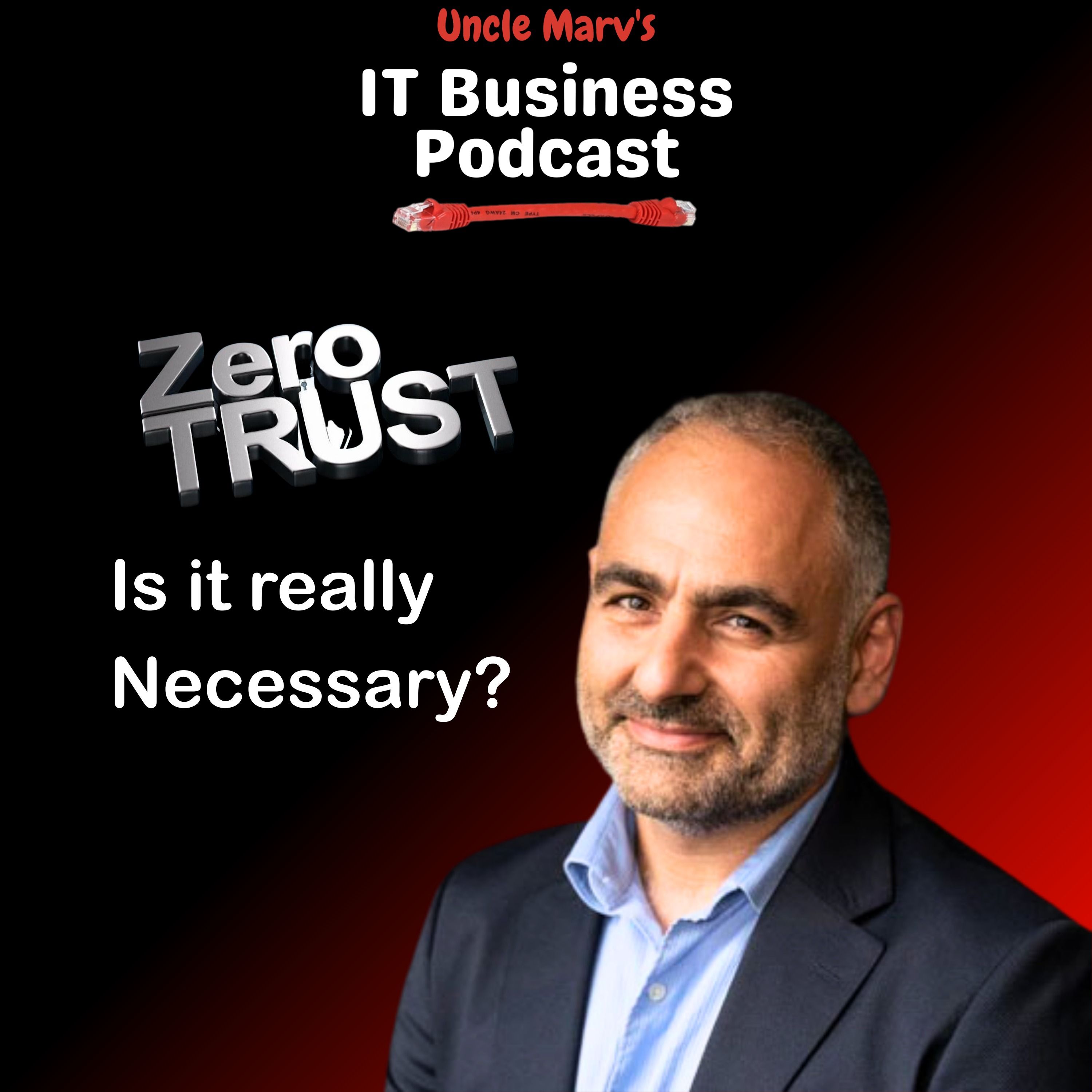
Uncle Marv sits down with Raffi Jamgotchian of Triada Networks to unpack what Zero Trust really means for MSPs and IT providers, beyond just buying another tool. They walk through real-world stories, using ThreatLocker, EDR, ZTNA, Intune, and conditional access, and how to turn “never trust, always verify” into practical operations.
If you’ve ever wondered whether Zero Trust is just layered marketing or a must-have for your MSP, this episode gives you a grounded, real-world answer. Marv and Raffi translate frameworks like NIST 800‑207 into operations decisions you can actually implement with your current stack.
Why Listen:
- Hear a real attack story where VPN, RMM, ThreatLocker, and EDR all played a role.
- Learn why “never trust, always verify” applies to vendors, tools, and RMMs—not just end users.
- Understand the interplay between MDM, PAM, EDR, conditional access, and Zero Trust.
- Get a practical stepladder approach: identity, device, and data as your starting pillars.
- Discover why security is a process, not a tool—and how to charge more for the extra work.
Resources and Mentions
- Triada Networks: https://triadanet.com
- NIST Special Publication 800‑207 (Zero Trust Architecture): https://csrc.nist.gov/publications/detail/sp/800-207/final
- Duo (MFA): https://duo.com
- Microsoft Intune: https://www.microsoft.com/microsoft-365/business/microsoft-intune
- Microsoft 365 / Azure AD / Entra ID: https://www.microsoft.com/microsoft-365
- Okta: https://www.okta.com
=== SPONSORS:
- Livestream Partner, ThreatLocker: https://www.itbusinesspodcast.com/threatlocker
- Technology Partner, NetAlly: https://www.itbusinesspodcast.com/netally/
- Travel Partner: Bvoip: https://www.itbusinesspodcast.com/bvoip
- Production Gear Partner, Liongard: https://www.itbusinesspodcast.com/liongard
- Travel Partner: TruGrid: https://www.itbusinesspodcast.com/trugrid
- Digital Partner, Designer Ready: http://itbusinesspodcast.com/designerready
=== SHOW MUSIC:
- Item Title: Upbeat & Fun Sports Rock Logo
- Item URL: https://elements.envato.com/upbeat-fun-sports-rock-logo-CSR3UET
- Author Username: AlexanderRufire
- Item License Code: 7X9F52DNML
SHOW INFORMATION:
- Website: https://www.itbusinesspodcast.com/
- Host: Marvin Bee
- Uncle Marv’s Amazon Store: https://amzn.to/3EiyKoZ
- Become a monthly supporter: https://ko-fi.com/itbusinesspodcast
Hello friends, Uncle Marv here with another episode of the IT Business Podcast, the show for IT professionals and managed service providers to help us run our businesses better, smarter and faster. Today folks is a show that I promised you where we are going to answer a listener email, but it is going to be a multi-show answer. I've got a few different MSPs that I've asked to come on and address this topic of zero trust and tonight I have with me Raffi Jamgotchian, Triada Networks out of the Great White North.
Raffi, how are you? Doing well. How are you, Uncle Marv? I'm doing good. Thank you for asking.
So last week I brought up this listener email, it actually came in right before the holidays so it wasn't something that I was going to get into at the end of last year, but I wanted to make sure I got to it and Landon had sent in the email and I'll just quickly recap where he said, with all the platforms out there incorporating zero trust into your stack seems to be more of an operations question than a technical or security question. A service like ThreatLocker is almost custom designed for an MSP that wants zero trust, EDR, and everything in one package that's highly centralized and treats the OS environments more like a thin client than a traditional solution. I'm going to skip over part of that, I responded to him and asked him a little bit more of a clarification because he started talking about the stuff that he did where they were doing MDM, Microsoft Intune, and stuff like that.
But the crux of his question came into, for an MSP that is already doing MDM and PAM, that opens up questions like, is zero trust even necessary for my operations? What are the pros and cons if I do implement zero trust? And then of course some additional questions, what is the benefit of zero trust if I'm already doing PAM? Is there even a measurable security benefit to be had in such a case? So it's a lot of questions all at once, and so Raffi, I was poking around trying to find who am I going to ask to discuss this, and I saw a post that you had done in one of the forums where you answered with a very intriguing answer, basically with the sense of zero trust means that for everything, including our tools and providers, and that was answering somebody else's question about how, you know, should we ask more of our RMM to be more like zero trust? So let me start by asking, do you remember that conversation? I do, and it was, we had started kind of towing into the zero trust kind of concepts and what have you, and we were, the way I was thinking around it was kind of, so yeah, so what is zero trust? Zero trust is really kind of a mindset or a set of philosophy, if you want to call it that, if you start from the core of it, about not trusting anything to start with. So it's, you think about, some people say assume breach, other people say don't trust, you know, you have least privilege. There are all these terms that kind of all blend into what this idea about zero trust is.
And so we think of it kind of like a, as a starting point from whatever it is that we're talking about. So that includes our vendors. Okay.
And so when we think about, for example, we run some pretty highly privileged applications around our businesses and our clients' businesses, RMM, MDM being two of them. Certainly there, our EDR systems have fairly high privileges. They're most of them on Windows, at least, are running in the kernel and Mac, they're running at a layer above that.
And then also the activities that the vendors bring, those risks that the vendors bring in with those tools as well. And so, yes, so in kind of thinking around what is that not trusting anything, just in allowing it to do the thing that it can do, that it should do is really the idea. And whether or not that's just the app or the vendor or the person or the location, all those things are part of zero trust, at least how I've thought about it and how, at least in the early days, people were thinking about it.
Yeah, I had to catch myself because I'm sure like a lot of MSPs, I at one point thought, well, zero trust, I'll just throw on ThreatLocker and I'll be good. And in doing a little bit of research for this, I came across a NIST document and I'll have a link to it in the show notes. And I'm sure most of you have probably heard of it.
If you have not, then you need to take a look. It is the NIST 800-207. They now have a revision three and it talks all about the zero trust architecture.
And it gives you a pretty good framework for a blueprint. It is vendor agnostic, but their mantra was never trust, always verify. Right.
And I like that. Yeah, I mean, you have to start from an extreme and work your way a little bit backwards. That's the idea.
It's right. It's the same thing as when you think about firewalls. When you think about firewalls, either are you allowing everything and then just blocking the things that you don't want? Or are you not allowing anything and just allowing the things that you do want? It's the same concept across all things, whether that's identity, your device, other information, location, all those things.
Yeah, so ThreatLocker is a piece of it. It's certainly a piece that we use across from an application allow listing. They have other solutions too on the network stack, but there's other solutions there too for doing micro segmentation or think about VLANs up until in the MSP world wasn't really even talked about other than some basic stuff, a guest network, maybe something for a specific R&D network that you have for your clients.
They have a lab, but you're not seeing you're getting that even tighter, even smaller. Maybe that's one way. So there was something you brought up when you talked about all the different ways to look at it.
A part of me always looked at it from the perimeter, like you had talked about with the firewalls, just basically don't open any ports, including remote access. So secure remote access, or in some cases, SASE, ZTNA was the solution. And so for me, that was a big thing, ThreatLocker for internal, making sure that nobody can even install something unless it's on the list.
Even if they're privileged, they still can't install it. Right. Right.
Yeah. And it's funny because I remember, I mean, it probably still happens, but nobody's watching. But there were times when I would be installing something for somebody, they'd be watching and I go to hit click and they're like, oh, you can't install it either.
I'm like, no, that's what we want. And it was a big deal. Yeah, I'll tell you a little story.
We, this is going back, let's call it six, seven years ago. Is it that long ago? Yeah, probably about six, seven years ago. So we were using an EDR vendor that we will not name.
We had it deployed across our client base. We had recently set up, it was a new client. It was not in our local footprint.
So a little bit further away, about four hours away. And we had replaced their firewalls. So new firewalls, but we had not replaced their VPN appliance.
They had a separate VPN appliance. And we missed something. We missed the setting on that VPN appliance that was there from the previous MSP that allowed somebody to log in with an account without MFA.
So even though MFA was set up, they were using Duo, even though MFA was set up, some reason they had created a rule that said that if you did something, it would bypass the MFA and then still allow you in. So it was kind of a dumb setup, but we missed it. So, you know, we're, PAX on us.
The, an attacker who phished at one of the employees was able to get in. At that point, this is COVID. So they're the only device on the network was one, one desktop that was in a conference room.
Everybody else had taken their laptops home. So they logged into that, that desktop and they started trying to dump credentials. And we had implemented ThreatLocker.
So nothing was happening. Nothing was happening. Nothing was happening.
The first thing that allowed was allowed on the allowed list because our, we had allowed it by our RMM. It was an RMM tool. They used the RMM tool to try to dump credentials.
And then our EDR picked it up. So this is why you do these, both these things. You don't, you don't just pick one or the other is because one is going to tell you when there's a nasty behavior and then the other one is going to fix the, is going to prevent everything else from getting to that point.
And so you can't, you can't, you can't just rely on one. Again, it didn't, in this case, it was like we, we trusted the RMM a little bit too much, more than we should have. And, and that's where the EDR picked up.
So, and then obviously we decided to go get away with VPNs entirely throughout our client base after, after, after that incident. But that was, these are the, these are the things that happen. You learn along the way why people ask, like, why do you add that additional a problem that you have to deal with at your client? It's going to just add noise.
And it is, it is noisy. There's, you know, ThreatLocker does a good job of trying to encapsulate that and keep the things, you know, make it easier to manage. But it's, it's, it's, it's additional work.
It's additional work to get these things secure. That's why you have to charge more. So let me ask this question.
You piqued my interest and you said we trusted our RMM too much. Because most of us think that, I mean, our RMM is an extension of us. And if we've got that locked down to the point where maybe we lock down the IPs that it can connect from, maybe, you know, we force MFA for all of our users.
We don't give it to our clients. So they're not using it to, you know, remote to any of their desktops. How are you trusting it too much? So, and we've done those things to using a ZTNA to lock down the IP.
So that only those IPs that come from our ZTNA connect to, are allowed to connect to our RMM. In this case, it was, it was a, an executable that the RMM had that used on Windows. And it was part of their package.
So because the RMM was using it, we allowed it. And in this case, the adversary also used it. So what we should have done was said, okay, if the RMM launches this application, allow it.
But if anybody else does, that's what we want to find out about. That's what, that's when we want to kind of almost the concept of ring fencing, but at that application layer. Not only this, is it the, who you're getting technical here, but who you're, the application that you're running, but also who is launching that application or what is that launching that application? We didn't have that as scoped narrowly enough.
And that's, that's why that, that additional thing. But funny enough, if we didn't, if that didn't happen, then we wouldn't have known that somebody was on that system. Because of the EDR that flipped off, that's when we knew that somebody was on the system and we were able to then, you know, jettison them.
So do you use, and this just came to me and I'm sure somebody else has thought of it, but I feel pretty good where I'm thinking, do you employ a concept of who, what, when, where, why, and how to zero trust? Yeah. So who's running it? What are they trying to do with it? Yeah. What, when are they running it? You know, are they running it during the workday? Are they running at a 2am? Who, what, when, where, where are they running it from? Why are they running it? Is this a user that even is allowed to run such a thing? And then how? It comes into the, I think when we're, when we're investigating, yes.
Okay. I don't think we, we don't have it such that like time of day access for certain applications and not, and not other applications, or we do based on some location, but not at like the threat locker level. We will have location based, whether that's conditional access or the ZTNA filtering differently, allowing access differently, depending on where they are.
The other thing we leverage with we use where most of our clients are financial services. And so there are three things that financial services clients like really are keen on. One is they're big on single sign-on.
And so we leverage using either Azure or Okta to make sure that we know that what device, who the person is, where they're logging in from. And in some cases there is some time of day in there too, but it's primarily those three. It's device, who, and what.
All right. So what came up? Not all the, not all the questions. Okay.
I get you. So that came to mind. I don't know why I thought of that, but it was, I thought it was cool, but so.
But it's hard to do all of them. It is. But it was funny because I did have a situation on Sunday.
One of my clients where AJ, I call him, he's an admin junior. Works, you know, to co-manage location. He sets up all the users and does all this stuff.
We use TruGrid for their remote access for their branch offices. And I remember he sent an email complaining because one of their users couldn't connect to TruGrid. And when I looked it up, at first I almost didn't respond to him because it was Sunday.
But. But you still did, Mark. Well, I had time.
Okay. And when I looked at it, I'm like, okay, so this is a user and we use Active Directory. They're still on-prem.
They've got some SQL servers and some line of business apps that will not run in the cloud because the vendor won't do it. But they use Active Directory and they use time restrictions for their employees. So most employees can work Monday through Friday, 7 a.m. to 7 p.m., not after hours or on the weekends.
And this particular user was given permission to work remotely that Monday, but apparently he had them try it on Sunday or over the weekend to get in and they couldn't get in. And he was freaking out, you know, which is why I finally responded. And I logged in and I'm like, you don't allow this person access on the weekends.
And he's like, yeah, but why should that matter with TruGrid? And I was like, TruGrid talks to Active Directory and Active Directory says not allowed. But TruGrid can't give that specific reason. But he was like, oh, okay.
But it was just one of those things. Yeah. That's time-restricted logins is not something I've seen for a very long time.
Interesting. I do a lot of old school things. We still have a lot of Active Directory out there.
It's still kicking around. Yeah. So let me at least bring one of these questions in specifically because he talked about the fact that they're using Microsoft Intune.
They're doing MDM, which I assume is with a lot of their Mac clients and stuff, although I can see them doing MDM with desktops and stuff. But he says, if I'm already doing MDM and PAM, is zero trust even necessary for my operations? Or is it just layered marketing? I wouldn't say it's layered marketing. The fact that we have a NIST framework means it's not marketing.
We actually have a guideline that we can go by and say, this is the ultimate, penultimate goal when it comes to a zero trust enforcement. And we're seeing that at the insurance companies also saying that, do you have a zero trust policy or process or whatever? Are you moving towards that? And again, it's a journey, not a destination, right? But specifically to the question about MDM and PAM, they are policy drivers. They're not necessarily protecting you in real time.
Your PAM is to some extent because it's allowing, maybe you're using it for, and then he didn't really say how he's implementing PAM. There's multiple ways. Is it just going to IT glue to retrieve your admin password in order to log in, or is it, are they using a proxy to do it, or are they using just-in-time admin access with Azure? There's lots of ways to implement PAM.
And yet these are certainly ways to reduce your attack surface area. And they're smart, but these things aren't mutually exclusive. The MDM is going to apply policy on like, when should the device be locked? What can it do? What it cannot do? And certainly again, reduces attack surface, but that's not to say that is that enough.
Only you can say if it's enough or not. It depends on what level of risk that you are willing to tolerate or not tolerate, depending on the kind of client they are and what they're protecting. So very vague response to, I guess, somewhat of a not clear question to me.
But for me, I wouldn't rely on just a policy, especially something like Intune with MDM. Half the time, you don't know if it's being applied right or not. You even know if the policy is in place.
Sometimes you have half your devices are out of compliance or not in compliance, but they still function. Or you're going to lock down devices that are not in compliance, which certainly can with conditional access. So some of that functionality exists there, but it's certainly not a full blown zero trust environment.
Microsoft has a strong blueprint for zero trust purely in a Microsoft setting without anything else. Part of that is application allow listening is in that as well. But their platform is just the pain in the ass to.
Sorry, can I use that term? Yeah, you can. The pain in the ass to put in place. So well, funny you should say that because I am looking at, for lack of a better phrase, lifting a client to the cloud.
So they are a small office and they've got several people that work in the office. They were not. They were sharing stuff through their personal one drives.
They tried to do some internal sharing. I put a Synology box in when I first took them over. I just got them in October.
And so now we're looking at, you know, how can we do all of this shared access because they've got people outside of the office that need access to inside the office that they don't want to pay for a remote server or workstations to connect to. So we're looking at SharePoint. We're looking at conditional access to not only lock down their M365 accounts, because before I only used it for email, you know, we were just, you know, nobody outside of the U.S. And, you know, you can log in without MFA if you're in the office from this IP address, but if you were else MFA, all of that stuff.
But I wanted to do one of the wishes that they wanted only certain people to be logged on to SharePoint from certain devices. And I did get told that, yes, we can do that with devices. But I was looking in there.
There's a lot of granularity in terms of what you can do. But you're right. It looks overwhelming in a sense that if there's no real like there's not a global policy that you can create and say, apply this.
Yeah. And besides the complexity, it's still that's only it's a very important piece, conditional access, but it's only one piece of the puzzle. You can do a lot with it, but it's not it's not everything for sure.
And then you have the things that if you're like if you're a pure Microsoft shop, like you're not using anything else, then it's potentially doable with just those two things. You have you get P2 and Azure and you can get access to lots of different capabilities there to lock down an app, an environment. But I don't know.
There's very few companies that I know that are that pure Microsoft that that there's not something else that they're running that you need to also make sure that they're protected. Right. And they're going to want to run something else.
OK. Are you are you applying zero trust to all your clients, regardless of who they are, or only are you doing the high risk clients? At some level, we are doing something across all clients. So threat lockers are standard for all of our clients on the protecting ring fencing.
Everybody, period. Everybody. Nice.
Yeah. Everybody across thing. Do we anybody that's on anyone that's in Microsoft in Microsoft shop? We're doing some sort of conditional access.
Is everyone on ZTNA? Not yet. We did for a while. We were going down that path.
We ran into some issues. We yanked back a little bit. So that's still an area that is, I would say, partial, depending on the customer base, whether we go down that road or not.
So we do have some ZTNA base, but not fully deployed. And then the last piece is for us is a part of it is the browser is protecting the browser a little bit because we think that's kind of the window into everything nowadays. So a little bit different, not really a discussion with this topic necessarily with Zero Trust, but it's something that we look at as well.
But those are from the Zero Trust period. Threat Locker is definitely a standard across our... There are certain pieces that all clients have. Threat Locker, our EDR, and on the email side, it'll be something similar.
Okay. When you said browser, so I did a thing a couple of weeks ago. I've got web protection.
And on any of the desktop clients, it can also block... Or I should have said block is the right word. But I can do content filtering and blocking internally as well with the web browser. So that there's any... If somebody is trying to get to a web portal inside the network, it can be blocked.
And I thought it was cool. I'm like, oh, let me see what this does. Only that it blocked a ODBC setting for one of the SQL programs.
Oh, boy. So that is what I think is probably, at least for me, one of the biggest step is how do you monitor internal? And I know that EDR was supposed to do that. I'll be honest.
I've looked at some EDR products, and I'm not sure that's what they're doing. They might be looking at stuff. But are you doing a lot of internal traverse watching? Um, certainly with the ZTNA-based clients, we are.
We see we can monitor traffic between devices. The internally, we're looking at it more from the point of view of the asset being accessed. And EDR can provide some of that.
Um, I think where one thing that we forget about that's deployed on every Windows device is a firewall. And we've become too permissive on those firewalls over the years, which is why some of these worms were capable of kind of jumping around. So you mean you're not turning off Windows firewall on all the desktops? We try not to turn off Windows firewall anywhere, especially the desktops.
The other thing that you want, the one thing that we look at is that do desktops need to be able to talk to each other at all? And if you have an environment, unless you're like sharing printers or sharing shares from desktops to each other, is there a reason why any of those devices should be able to talk to each other? Can you create a policy that prevents that? And group policy, whether it's group policy or Intune, has a lot of capabilities for doing that. So not allowing workstations from talking to each other. Workstations should probably only be talking to two things.
Your servers, printers, if you're doing direct printing, and the internet. You know, it shouldn't be necessarily talking to other desktops. We had one kind of lab company environment where we had to break off their lab people.
We ended up using ZTNA for that because the lab people could be anywhere. It doesn't have to be, they're just not going to be physically in the same VLAN in the same office. They might be in another location.
They might be outside the office. But we want to still make sure that we can get lab gear and the lab gear can talk back to them. So that's where we use something like a policy with the ZTNA that says, all right, if you're a lab user, it's not tied to the person.
If you're a lab user, you're allowed to get through lab systems. ZTNA gives us a really good control over that, but we don't have that completely deployed. Okay.
All right. And I guess let me go back and from a beginner's point of view, for somebody that is dipping their toe in, just starting an MSP or an MSP that's starting to look at security in a much more precise way, where would be a good starting point in your mind with kind of like a stepladder approach to Zero Trust? I would say even take a step before that. Before you even think about whether Zero Trust is right for you, your clients or what have you, understand what you're protecting.
For, you know, we look at our three pillars, identity, device, and data. So what are you doing to protect each of these things? Do you have something? We think about the endpoint probably way too much more than we need to. We have pretty good tooling at this point of the endpoint.
Identity tooling has come up a lot and we can do a lot with what's built into the tools that we use, whether it's G Suite or 365 or some other IDP like Okta or One Trust or whatever. There's a lot of ways that we can do that. Find your way and what the best way for you think you are for your clients and for your type of clients.
And then data. Don't leave everything so wide open to everybody. Make sure that people have access to just the things that they need.
And when they move to a different group, that they get those access, that access gets removed. So you can get even more granular with that, especially with now with 365, there's abilities to tagging of application types. You can even automate some of that.
There's some newer AI tools around that, but let's put that aside. That's where I would start. Really identify those that like, do I have something in place? And do I have a process in place to protect these three things? Then you can get down to the next level, which are looking at whether Zero Trust is.
I mean, if I was, there's rarely, you need to have a good EDR in place. I think you have to start with that. Partly because it's an insurance check mark too.
If you look at the cybersecurity questionnaires, what do they ask? Or they ask about EDR. They ask about, do you have a password manager and MFA in place? Do they ask about security awareness training? You need to have all these things. So if you have all those things covered, then start looking at Zero Trust.
Then start looking at something like a threat locker or an escalation platform like auto elevator or something like that. That's where I think you will go. Some are easier than others to implement for sure.
But threat locker, for example, I don't know. I don't want this to turn into a threat locker. I'm sure they didn't sponsor you or anything.
I didn't see that in the opening credits. Not this show, but they are. But they make it easy to work with from an MSP point of view.
All right. And I know I've pretty much tried to ask you questions, hopefully answering all of his stuff. But is there anything else that you think we should take into consideration about Zero Trust? And anything out of the 59 pages of the NIST document? I'm the poster child of shiny object syndrome.
I love tools. And I love all the tools. I've tried all the tools.
I have a reputation of being the tools guy. So that being said, security is not a tool. Security is a process.
Security is a philosophy. Philosophy, security is a way of life. So if you're thinking about it that point of view, thinking about it, think about that first.
People, process, then technology, then look at the tool. That'd be my parting thought. All right.
I'm scribbling here trying to make sure I get these down somewhere. All right. Raffi, thank you very much.
Of course. Do you have any questions or anything else? No, sir. All good.
All right. I'll be sure to let ThreatLocker know that you kept mentioning them. So this would be good.
And my discount too. All right. Well, folks, there you have it.
A good look at Zero Trust and Landon. There is your first answer to your email. And I'll try to get some more perspectives for you and hopefully guide you guys in your Zero Trust journey.
On behalf of my good friend Raffi and for everyone out there doing Zero Trust, I thank you for listening. If you found this interesting, be sure to head over to the website. Find us in your favorite pod catcher and subscribe.
Share this with a friend. This is probably one of those episodes that you should share for people that want to up their security game and dig deeper into Zero Trust. And we'll have more on that in some upcoming episodes.
And for now, that'll do it. Thank you all. Have a good night.
We'll see you soon. And holla!

CEO
Raffi Jamgotchian has been around computers since the age of seven. Raffi joined and then later ran a successful Bulletin Board Service (BBS) out of his bedroom while in High School prior to attending Rensselaer Polytechnic Institute and receiving a BS in Computer and Systems Engineering.
Raffi joined a AV control systems manufacturer and helped implement some of the largest distance learning and conference systems in the United States. In 1995, Raffi joined as a general IT technician and automation specialist for a mid-tier investment firm, and rose to be the Director of IT Infrastructure for the New York region. During his tenure at that investment firm, he served as an advisor for emerging technology investments and managed many of the large-scale IT integration projects including the first cybersecurity teams. During this time, Raffi obtained an MBA in Information Systems.
In 2006, he left that firm to assist in the startup of a smaller independent investment fund.
In the fall of 2008, Raffi and his wife Aline formed Triada Networks to service small investment firms that were now cropping up.
During 2019, Raffi took on the role of Channel Chief for ConnectMeVoice, a Unified Communications as a Service provider in a channel while maintaining the Triada Networks business.
Raffi holds a Certified Information Systems Security Professional (CISSP) since 2005 and is a member of the US Secret Service Cyber Fraud Task Force and FBI’s Infragard. Raffi also participates as the President of CompTIA’s Cybersecurity North American Interes… Read More


